


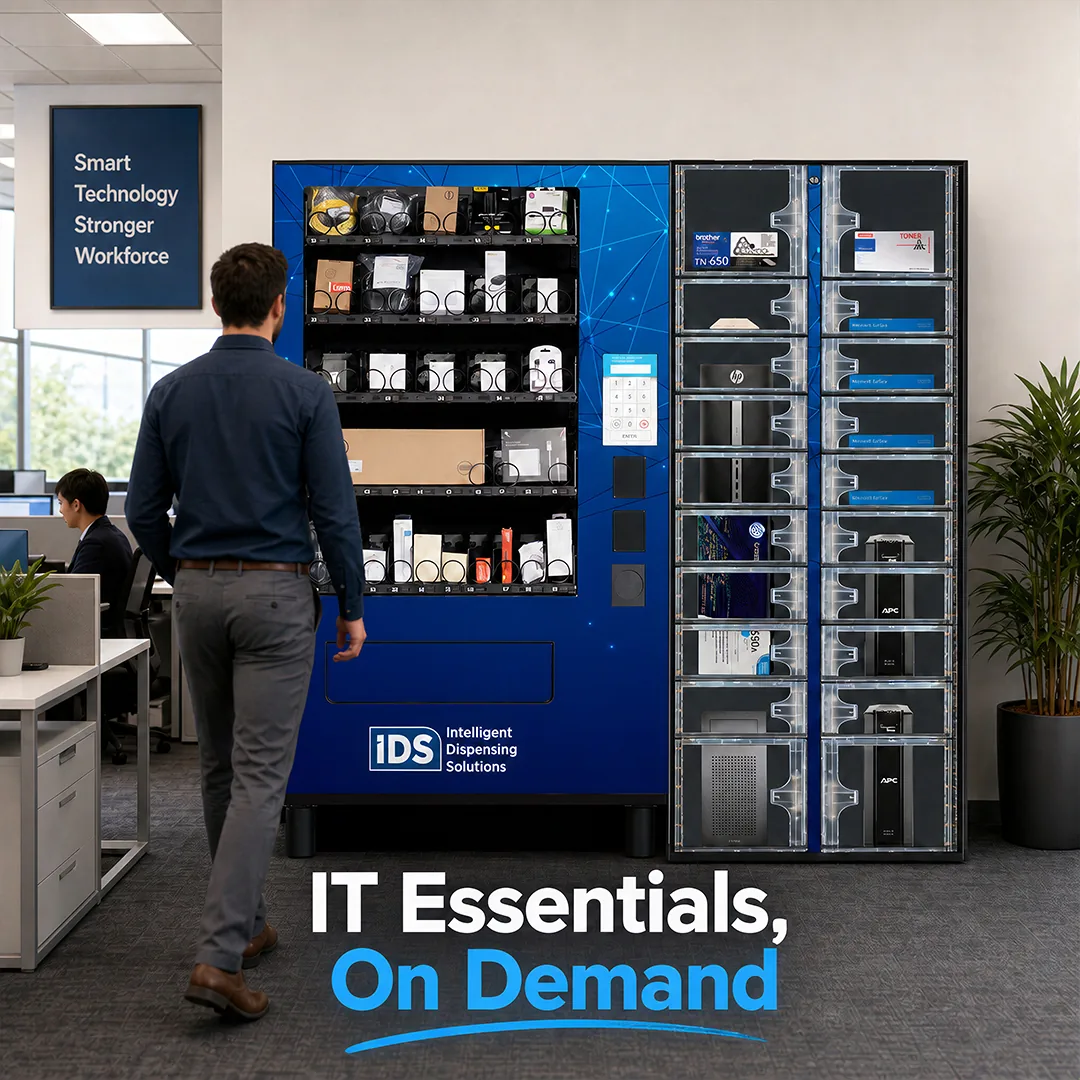
IT Asset & Electronics Vending Machines & Smart Lockers
Give employees on-demand access to the IT equipment they need, automate routine handoffs, and keep IT in control.
Client Testimonials
Why do customers like working with IDS?

Your IT service desk shouldn't be the sole connection point for every keyboard, charger, and loaner.
Routine equipment requests pull IT staff away from higher-value work. Employees wait for a ticket to be filled or a technician to be available. Open supply closets offer little accountability for who took what. Loaner laptops, repair exchanges, and new-hire equipment all depend on someone being there to hand them off and track them back in. IDS gives employees fast access to routine IT equipment without giving up visibility or control.
How does IT self-service with IDS work?
IDS self-service solutions move routine IT transactions out of the service desk queue and into controlled, trackable workflows. Powered by iQ Technology, IDS vending machines and smart lockers give employees what they need when they need it. IT spends less time on routine fulfillment, and every exchange is accounted for.
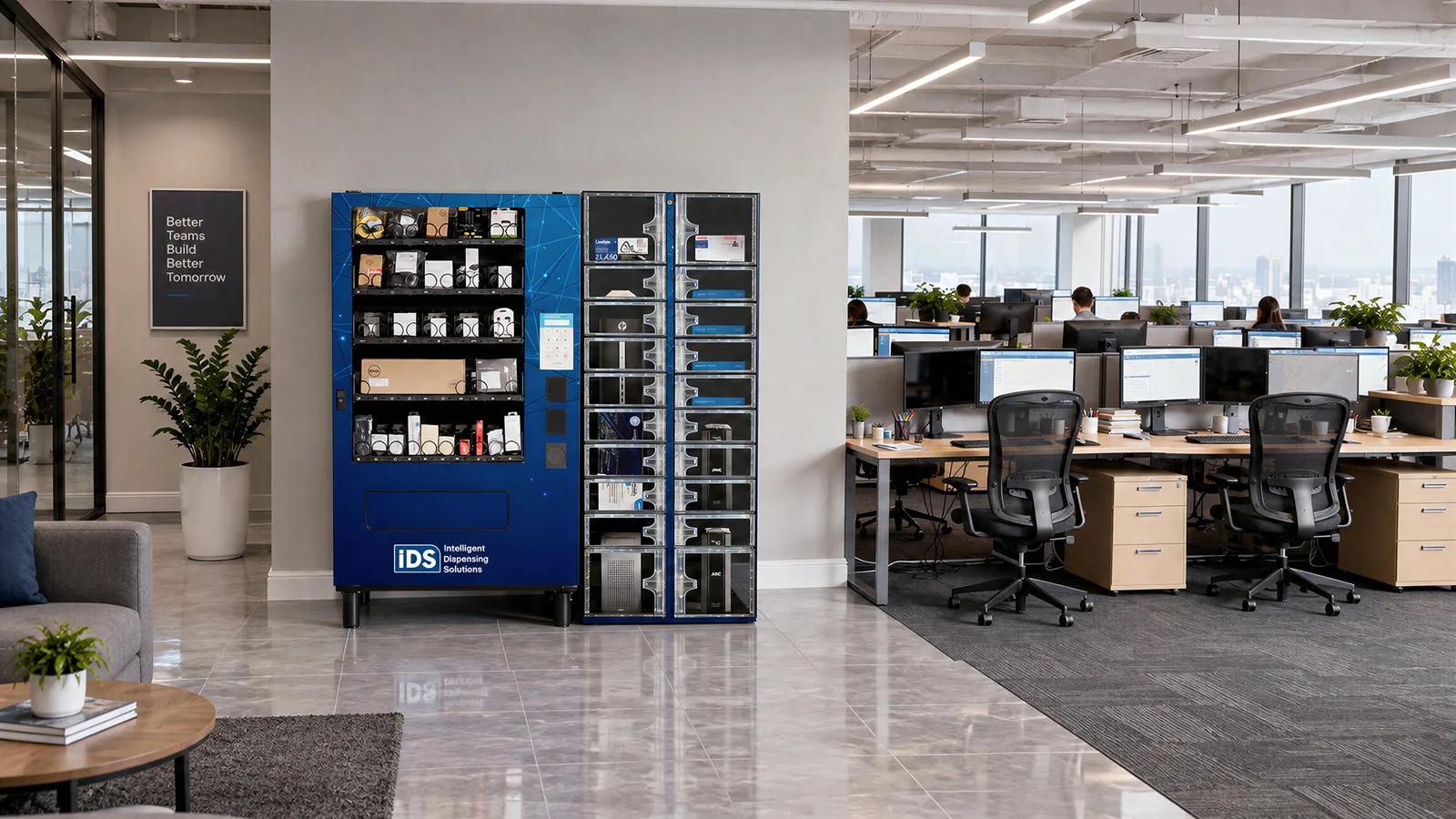
- Give Employees On-Demand Access to Peripherals: Place an IT vending machine where employees work so they can get keyboards, mice, headsets, cables, chargers, and other everyday peripherals without submitting a request or waiting on a technician.
- Verify Access Using Existing Employee Badges: Employees authenticate with existing workplace credentials such as prox, HID, iCLASS, barcode, RFID, or mag stripe badges, or a PIN, so IT doesn’t need to issue a new access method.
- Control Spend with Restrictions: Set limits by item, user, department, and time period so high-value peripherals aren’t overused or stockpiled, adding accountability an open supply closet can’t provide.
- Automate Handoffs with Smart Lockers: Use smart lockers for loaner check-in/check-out, break/fix drop-off and pickup, device exchanges, and onboarding kits. IT reserves a compartment and sends the employee an access code, so no face-to-face handoff is required.
- Know Who Has What: Every transaction is tied to an employee and time-stamped. Loaner assets can be associated with serial numbers or asset tags, so IT knows who has a device and whether it has come back.
- Report on Every Transaction: Cloud-based reporting covers every transaction, user, and item, so IT can justify budgets and reorder based on actual use.


What IT workflows can IDS automate?
IDS solutions can be configured around the routine equipment transactions that take up your team's time.
- Everyday Peripherals: Keyboards, mice, headsets, cables, chargers, adapters, and batteries.
- Loaner Devices: Laptop and tablet check-in/check-out with asset tracking and overdue alerts.
- Break/Fix and Repair Exchanges: Employees drop off a device for repair and pick up a replacement or repaired device from a locker on their own schedule.
- Employee Onboarding: Bundle a new hire's laptop and accessories in a locker compartment for pickup with a provided code.
- Employee Offboarding: Give departing employees a secure, tracked way to return devices and equipment.
- Selected Workplace Supplies: Mix in office supplies alongside IT peripherals where it makes sense for your environment.
Which IDS solutions are available for IT and office environments?
Vending machines and smart lockers do different jobs. IDS helps you match the right solution to each workflow.
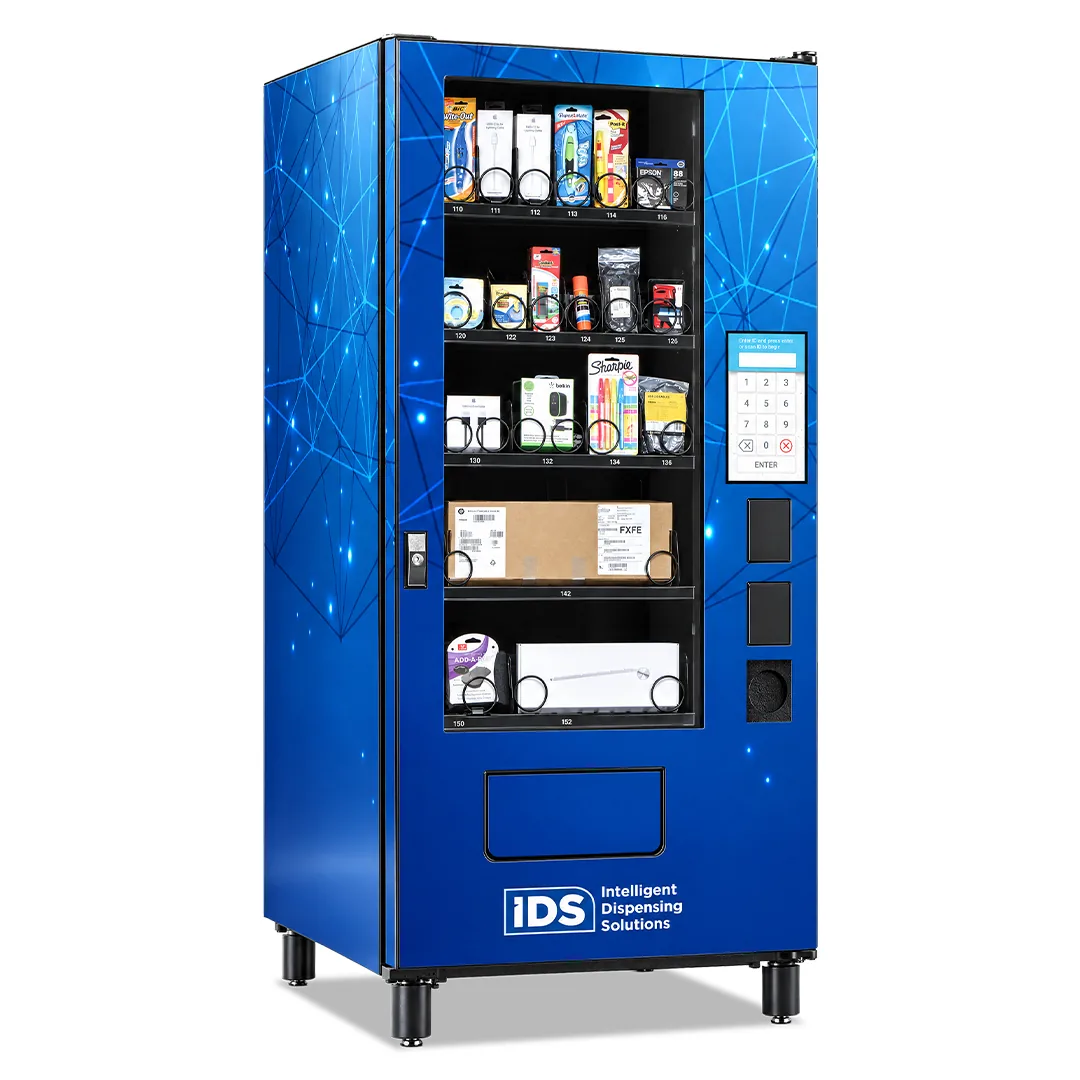
IDS Compact IT Asset & Electronics Vending Machine
Controlled dispensing for smaller inventories where floor space or program scale calls for a smaller footprint.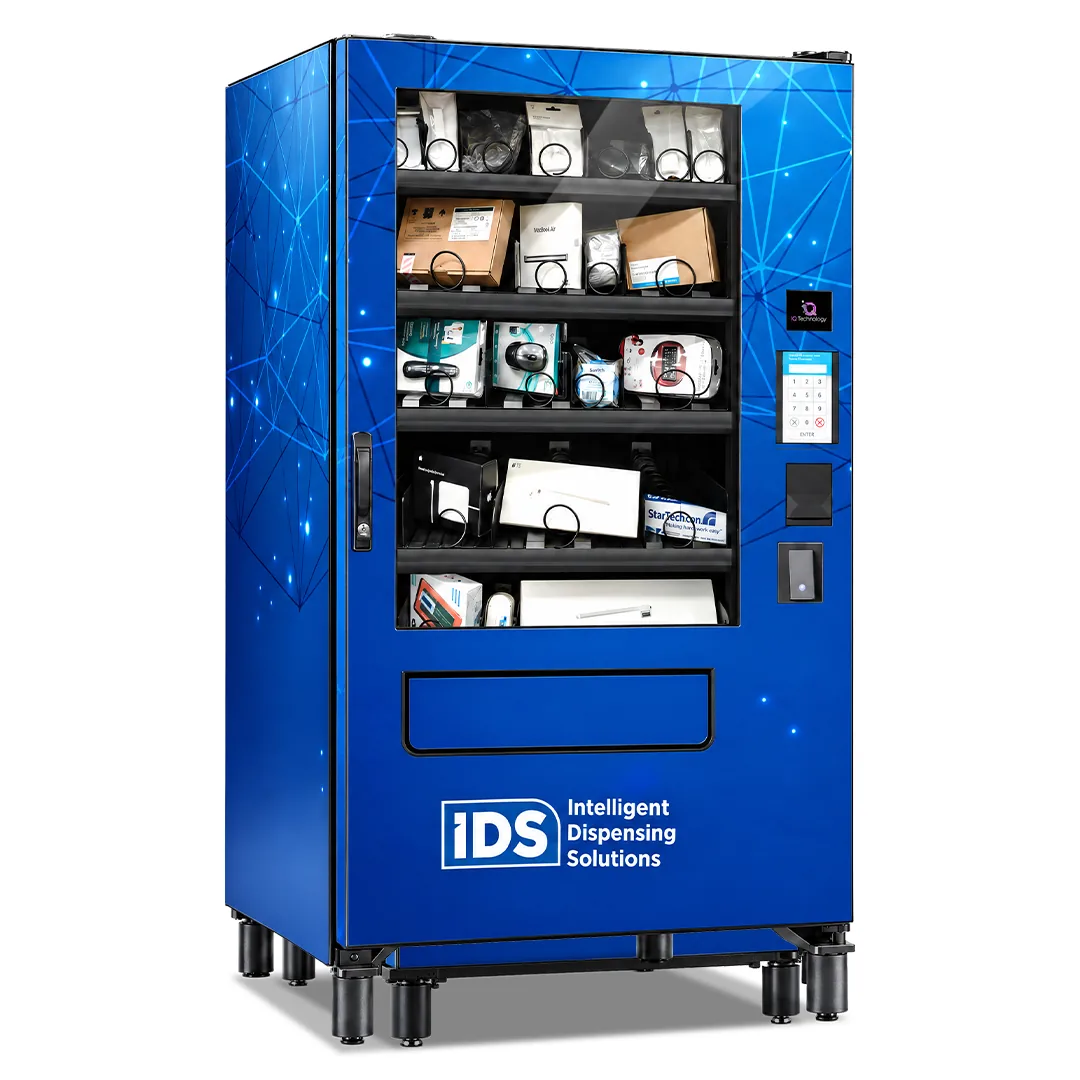
IDS High-Capacity IT Asset & Electronics Vending Machine with Soft Delivery
For fragile or sensitive technology, an elevator delivery system brings the selected item to the delivery area for gentle delivery instead of a traditional drop. It is well suited to sensitive accessories and, where configuration allows, laptops and tablets.
IDS ClearVision IT Asset & Electronics Smart Locker
Secure compartments for larger or returnable assets, including loaner devices, break/fix exchanges, check-in/check-out, onboarding, and offboarding.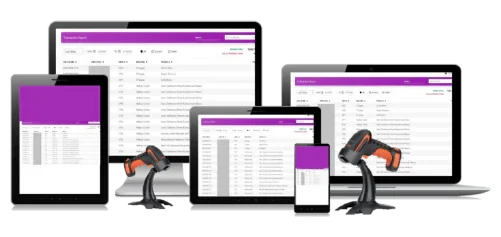
IDS Virtual Tracker IT Asset & Electronics Inventory Management Software
Track laptops, peripherals, and electronics that need accountability and visibility but don't need to be stored in a machine or locker.Not sure which solution fits?
Use a vending machine for routine peripherals, the soft-delivery vending machine for sensitive items, a smart locker for handoffs and returns, and Virtual Tracker when you need visibility without physical dispensing. Many IT teams use a combination, all managed through iQ Technology. An IDS rep can walk through your workflows with you and help design a complete solution that fits how your team supports employees.

How does iQ Technology give IT visibility and control?
iQ Technology is the cloud-based software behind every IDS vending machine, smart locker, and Virtual Tracker deployment. It turns self-service hardware into a controlled, reportable IT workflow.
- Transaction History: See who accessed what, when, and where, across every machine and locker.
- Usage and Inventory Reporting: Usage summaries, transaction reports, inventory consumption, and employee rollups help you justify budgets and reorder based on actual use.
- Email Alerts: Get notified about low stock, overdue assets, and machine status without walking to the machine.
- Will Call for Lockers: Reserve compartments for pickup, drop-off, or exchange and send employees an access code.
- One View Across Sites: Vending machines, smart lockers, and Virtual Tracker all report into the same platform.
How does IDS self-service compare to manual IT fulfillment?
| Comparison category | Manual IT Fulfillment | IDS IT Self-Service |
|---|---|---|
| Access | Employees wait for a ticket to be filled or a technician to be available. | Employees get routine equipment on demand. |
| Staff Time | IT staff hand out peripherals and coordinate every exchange. | IT staff focus on projects, support, and higher-value work. |
| Accountability | Open supply closets offer little visibility into who took what. | Every transaction is tied to an employee and time-stamped. |
| Loaner Tracking | Devices are tracked on spreadsheets, and returns are easy to miss. | Assets are linked to users, with overdue alerts. |
What does IT self-service look like when implemented at your office?
Peripherals on Demand
An IDS High-Capacity IT Asset & Electronics Vending Machine puts everyday peripherals near where employees work. Employees badge in, select what they need, and every transaction is tied to their profile.
Streamline Repairs Without the Wait
IT reserves an IDS ClearVision IT Asset & Electronics Smart Locker compartment through Will Call and sends the employee an access code. Customers can also use Will Call API options to drive locker reservations from their ticketing system.
Onboarding and Offboarding Made Simple
IT bundles a new employee's laptop and accessories in a locker compartment for pickup with a provided code. Departing employees return devices to a locker through a tracked process.
Who are IDS IT vending machines and smart lockers designed for?
IDS solutions fit any organization where routine equipment requests take up valuable time from your IT department, or assets need to be handed off or returned while still keeping track of everything. Common operating environments include:
✓Corporate IT Departments: Centralized IT teams that field frequent requests for peripherals, loaners, and device exchanges.
✓Large Campuses and Multi-Building Organizations: Organizations where getting equipment to employees across buildings or floors takes time and coordination.
✓Technology Companies: Fast-moving teams with high peripheral turnover and frequent onboarding.
✓Research and Laboratory Environments: Facilities that need controlled, tracked access to shared equipment and accessories.
✓Financial Institutions: Banks and credit unions that need accountability for who has which devices and equipment.
✓Government Organizations: Agencies that need clear records of equipment access and asset handoffs.
Why do IT teams partner with IDS?
IDS starts by learning how your equipment requests, asset handoffs, and service-desk workflows operate today. From there, we design a solution, deploy it, and support it so it works the way your team needs.
✓95 years as a privately owned, family-led company ✓Proprietary iQ Technology platform ✓Vending, smart lockers, and inventory software on one platform ✓Open API for connecting to the systems you already use ✓Discovery and solution design for your environment ✓Installation, training, remote diagnostics, and ongoing support

How can you get started with IT self-service solutions from IDS?

Connect with an Expert
Tell us about your current equipment distribution, asset tracking, and service-desk workflows. Your rep will schedule a live demo so you can see the solution in action.
Design and Deploy
We'll configure the right mix of vending, lockers, and software for your workflows and onboard your team.

Operate More Efficiently
Move routine transactions to controlled self-service and use iQ Technology reporting to keep every asset accounted for.
Frequently Asked Questions
IT Self-Service Basics
What is an IT vending machine?
An IT vending machine is a self-service system that gives employees controlled access to everyday IT peripherals such as keyboards, mice, headsets, cables, and chargers. Employees authenticate with their workplace badge, and every transaction is recorded so IT can track usage and control spend.
What is the difference between an IT vending machine and an IT smart locker?
Vending machines are best for routine peripherals and consumables that employees take and keep. Smart lockers are best for larger or returnable assets and for handoff workflows like loaner laptops, repair exchanges, and onboarding kits.
What are the benefits of IT self-service for employees and IT teams?
Employees get the equipment they need without waiting on a ticket or a technician. IT spends less time on routine fulfillment and more time on higher-value work. Restrictions and reporting add accountability to every peripheral and asset. Loaners, repairs, and new-hire equipment move through tracked workflows instead of manual handoffs.
Can an IT vending machine help reduce service-desk requests?
Yes. Requests for everyday peripherals like keyboards, mice, headsets, cables, and chargers can move from the service desk to self-service. Employees badge in and take what they need, so those items no longer require a ticket or a technician’s time. Restrictions keep self-service in check, and iQ Technology records every transaction, so IT keeps the same accountability it would have with a manual handoff.
Pricing and Deployment
How much do IT vending machines and smart lockers cost?
Pricing depends on the number of machines and lockers, the configuration, and the iQ Technology package your team needs, so IDS scopes each solution to your environment. Leasing and financing options are available.
What network connection does an IDS solution require?
iQ Technology is a cloud-based platform, so IDS vending machines and smart lockers need a network connection to report transactions, send alerts, and support remote diagnostics. Your rep will work with your IT and security teams during discovery to review your network requirements before deployment.
Device and Asset Workflows
How can smart lockers support laptop repair and equipment exchanges?
IT reserves a locker compartment and sends the employee an access code. The employee drops off the device for repair or picks up a replacement on their own schedule, and every handoff is recorded in iQ Technology.
Can smart lockers be used for employee onboarding and offboarding?
Yes. IT can bundle a new hire’s laptop and accessories in a compartment for pickup with a provided code, and departing employees can return equipment to a locker through a tracked process.
How do IT teams track loaner laptops and returnable equipment?
Loaner assets can be associated with serial numbers or asset tags and with the employee who has them. iQ Technology shows who checked out a device and when it was returned, and email alerts can flag overdue assets.
Access and Accountability
What employee credentials can be used to access IDS equipment?
IDS solutions support the workplace credentials employees already carry, including prox, HID, iCLASS, barcode, RFID, and mag stripe badges, as well as PIN access. IT doesn’t need to issue a new access method.
What information is stored and accessible through the system?
iQ Technology records each transaction by item, employee, time, and location, along with inventory levels and asset check-in/check-out activity. That data is available to your team through usage summaries, transaction reports, and employee rollups. Customers can also use the open API to feed employee data into iQ Technology and send transaction data to their own asset tracking or ticketing systems. Your rep can connect you with the IDS technical team to review your organization’s data and privacy requirements.
Software and Integrations
Is iQ Technology cloud-based?
Yes. iQ Technology is cloud-based software that gives IT one view of vending machines, smart lockers, and Virtual Tracker across all of your sites. Organizations that require a fully on-premises solution should discuss their requirements with an IDS rep during discovery.
Can IDS connect with ServiceNow or other IT systems?
IDS offers an open API customers can use to connect iQ Technology to third-party systems. ServiceNow is the most common example, and several customers have connected to it through the API. API access may depend on your iQ Technology package, and your rep can walk through how other organizations have approached it.